Safety that doesn't make a scene.
One press shares where you are, starts recording, and reaches the people who can help: your contacts, and your campus.
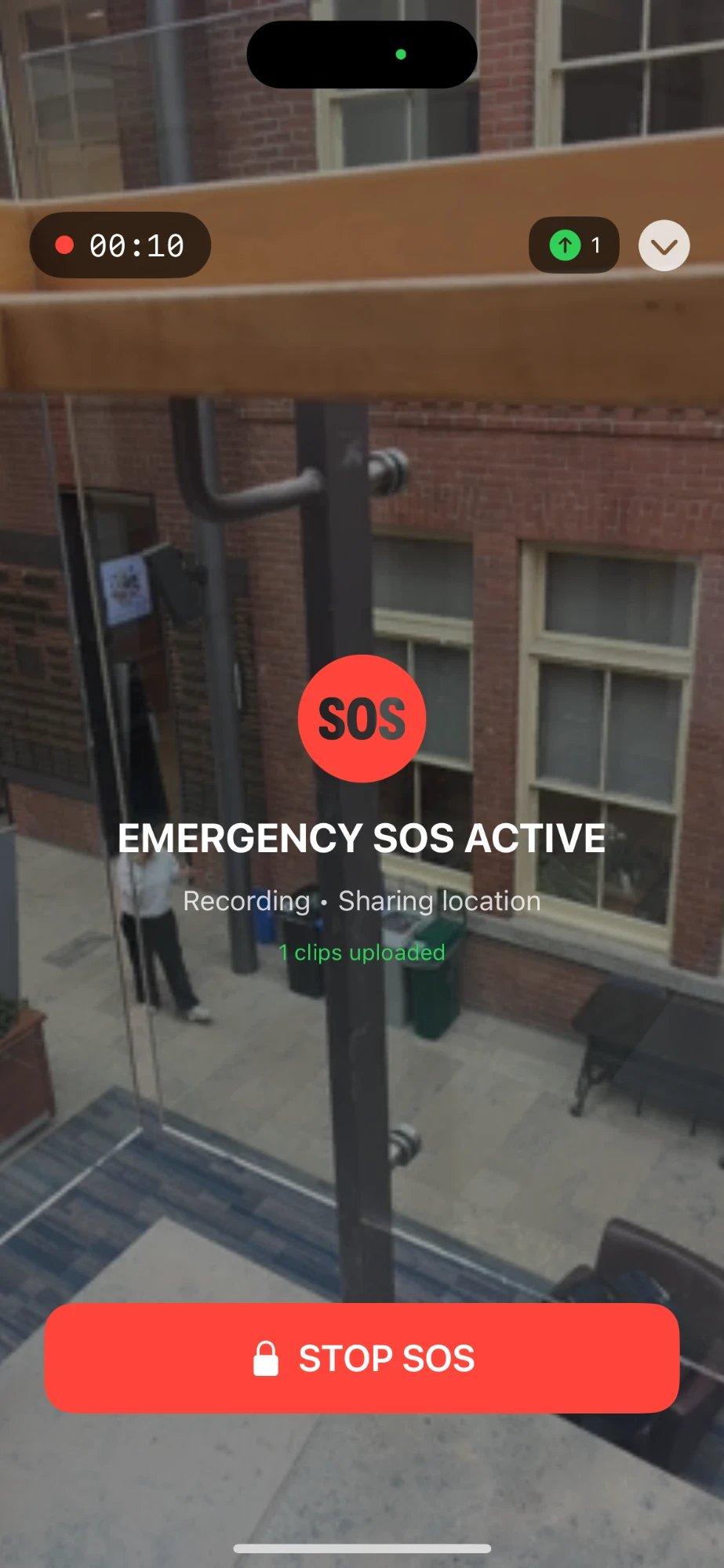
Recording
Video uploads while it records, so it survives a dropped or smashed phone.
Location
Shared live with the people you chose. Nobody else.
Your people know before you've put the phone away.
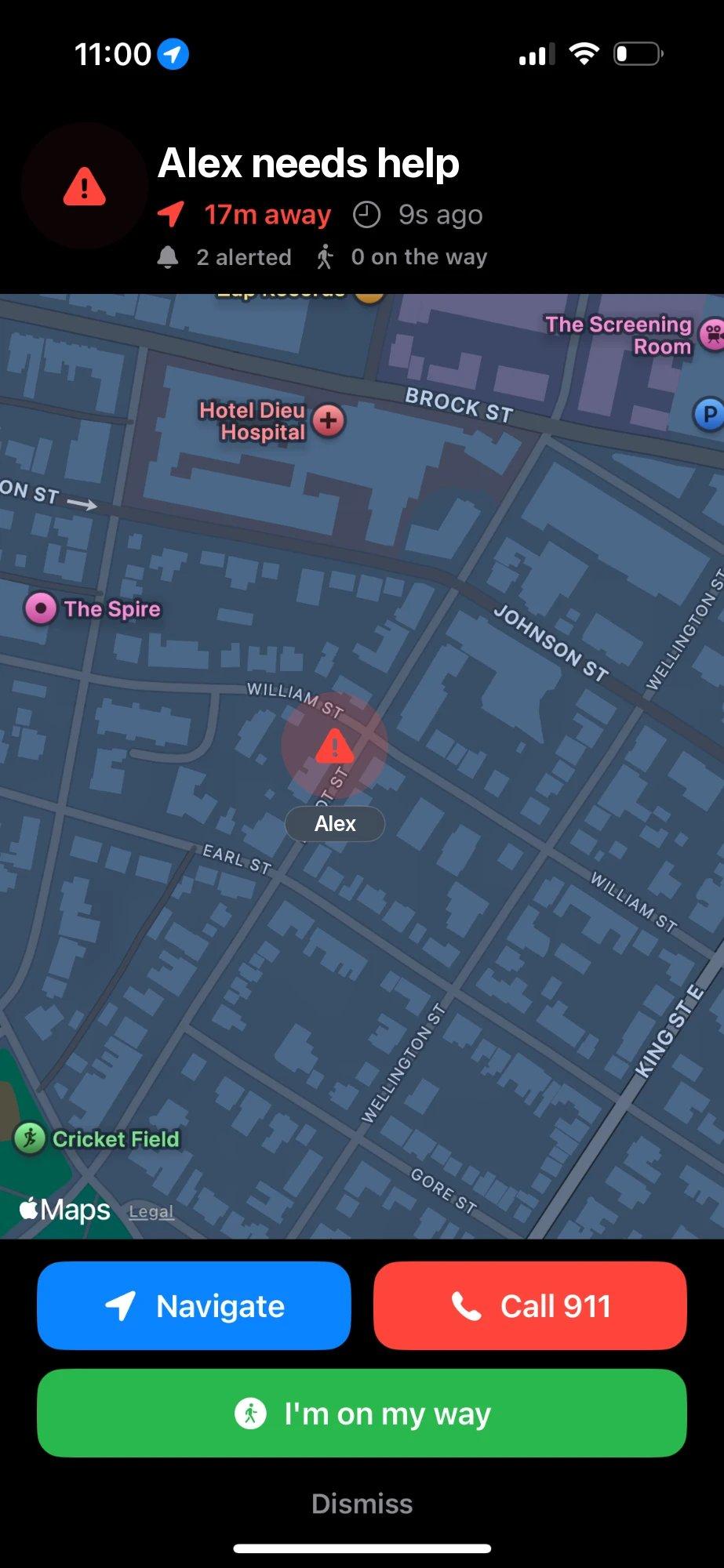
Your guardians get a full-screen alert with your live location, how far away you are, and who else is already on the way. One tap to navigate, one tap to call 911.
- 01
Located
Live location, shared only with the people you chose.
- 02
Recorded
Video and audio, uploaded in short clips as they happen.
- 03
Reached
Contacts alerted, and on participating campuses, security too.
Most nights, it's just a quiet walk home.
Alerta is built for all the nights nothing happens, so it's already open on the night something does.
- 01
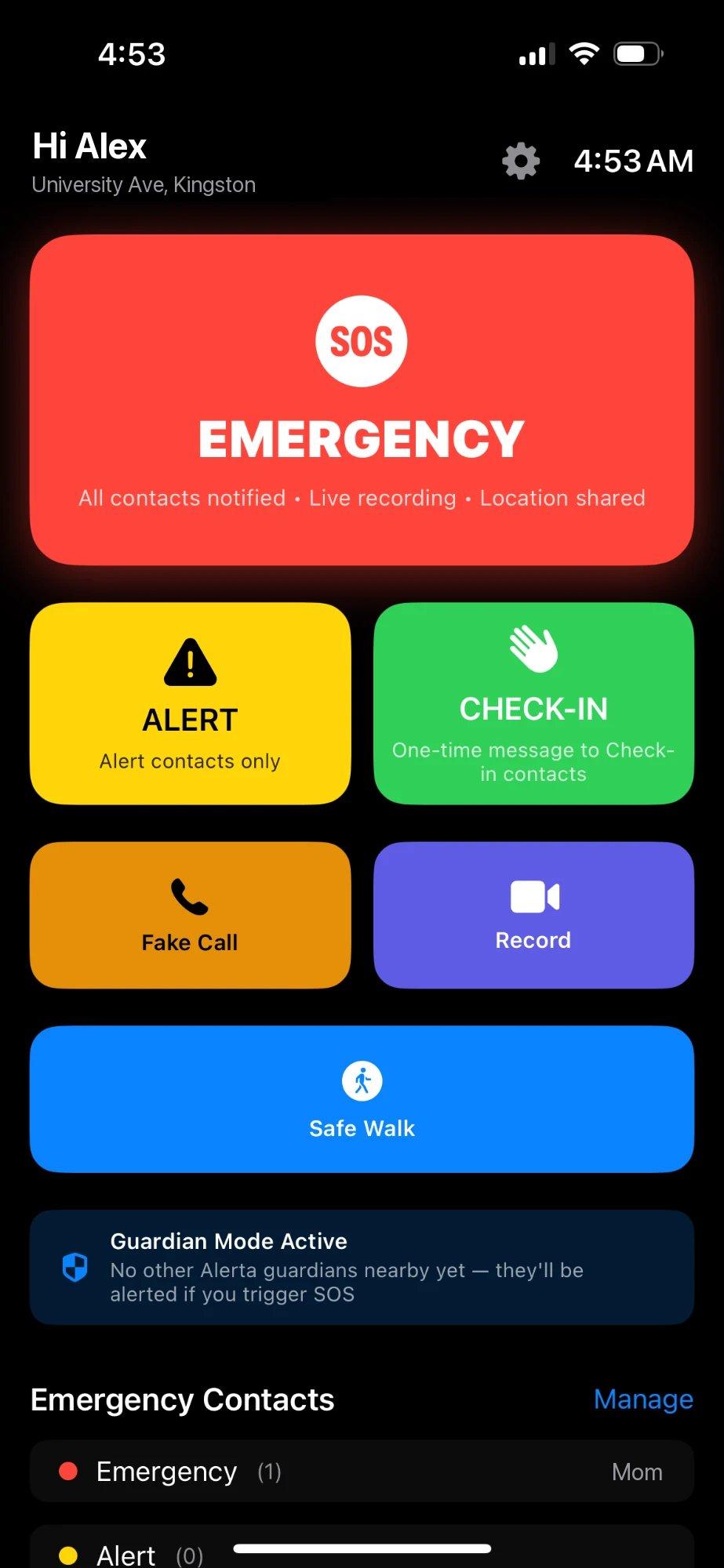
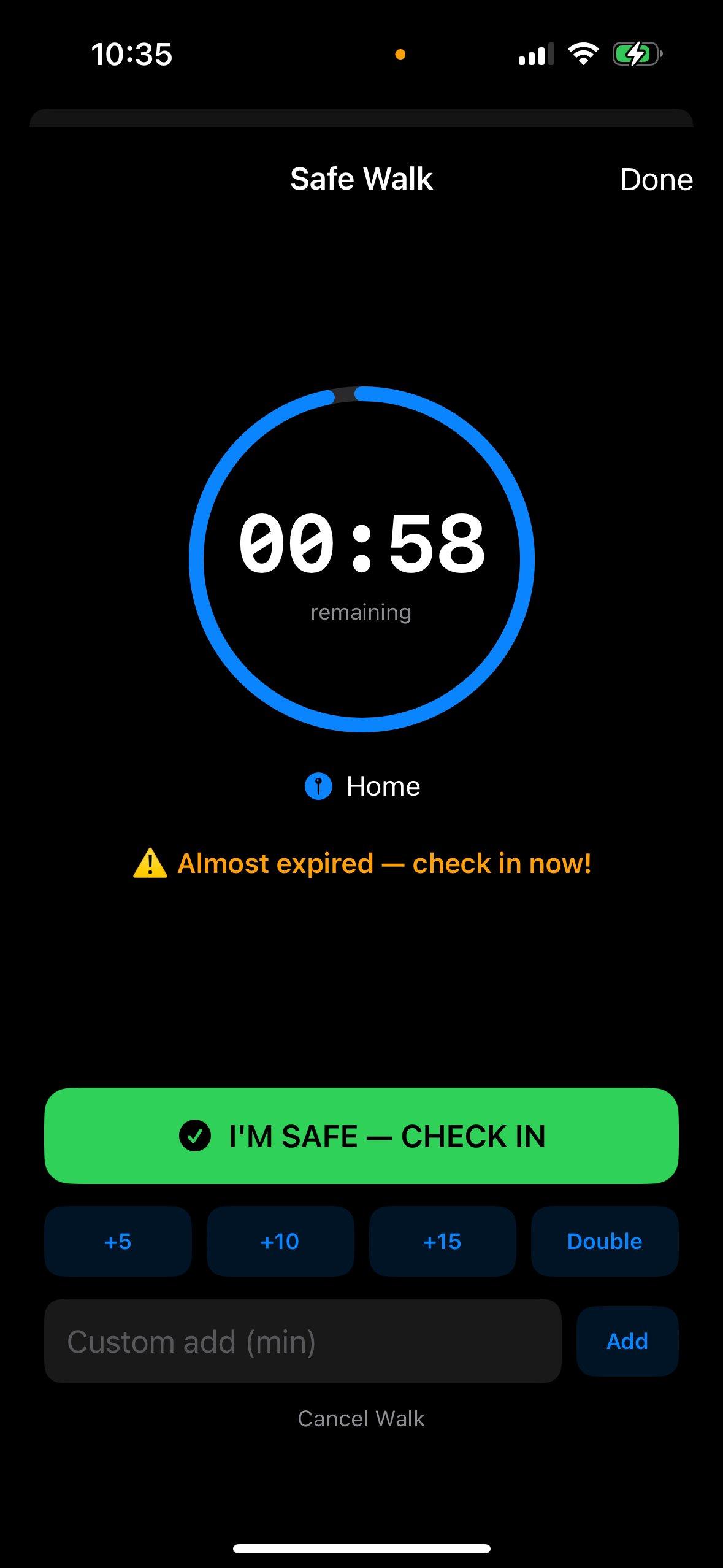
Safe Walk
Set a timer for the walk home. Miss your check-in, and your people hear about it.
- 02
Check-in
One tap to tell someone you made it.
- 03
Alert
A heads-up to your contacts, without the full emergency.
- 04
Fake call
A believable incoming call, for when you need a way out.
- 05
Record
Start filming in one tap. It uploads as it goes.
- 06
Guardian mode
Nearby Alerta users can be alerted when someone needs help.
See it the second it happens.
Every alert on campus lands in one place: who, where, what's been recorded, and who's already responding. Every case keeps its own timeline.
- Live location and videoReal time
- Response timelineAutomatic
- Evidence, preservedPer case
SOS · Alex M.
North campus · Tue 11:41 PM
Response timeline
- Triggered11:41:08
- Acknowledged+ 0:38
- Responder on the way+ 1:12
- Ended by Alex+ 4:02
- Resolved+ 4:30
- Contacts alerted
- 2
- Responded
- 1
- Video clips saved
- 6
SOS · Alex M.
✓ ResolvedNorth campus · Tue 11:41 PM
Sample case
- Triggered11:41:08
- Acknowledged+ 0:38
- Responder on the way+ 1:12
The most personal data you have. Treated that way.
Alerta handles where you are, who you trust, and what happened. Here's what we promise about it, in plain words.
- 01
Only people who said yes.
You only add contacts who've agreed to get your alerts, and we never message them for marketing.
- 02
Nobody's number is bought, scraped or sold.
We never buy contact lists, and we never sell or share consent for marketing.
- 03
Delete your account and its data, from the app.
One place in Settings removes your account, recordings, locations and contacts, straight away. If your campus received an alert, it keeps an anonymous record of it.
Alerta isn't a replacement for emergency services. In immediate danger, call 911 directly.
Read the privacy policy →Walk home like someone's with you.
Book a campus demoFor universities, Alerta connects to your campus security team with a live command view.