Alerta
Consent
Consent
Emergency Contact Consent and Safety Messaging Notice
This page explains who may receive Alerta safety messages, how emergency contact consent is collected, what types of event-driven messages may be sent, and where to find Alerta's privacy and terms documents.
Effective date: March 1, 2026
What Alerta is
Alerta is a personal safety app that helps users trigger Emergency SOS, use Alert Mode, send one-time Check-in messages, run a Safe Walk timer, share live location, and use automatic threat detection features such as impact detection, free-fall detection, loud-sound detection, unusual motion detection, and shake-trigger while the app is open.
During certain safety events, Alerta may notify the user's selected emergency contacts.
Who receives messages
Alerta messages are sent only to emergency contacts that a user selects from the device address book inside the app.
A user may only add a person as an emergency contact if that person has explicitly agreed to receive Alerta safety and emergency alerts for that user.
Alerta does not buy, scrape, sell, rent, or import emergency-contact lists from third-party databases, public directories, lead sources, or marketing lists.
How consent is collected
- The user opens Alerta and goes to the emergency-contact flow inside the app.
- The user selects a contact from the device address book to add as an emergency contact.
- Alerta shows a clear disclosure stating that the contact may receive Alerta safety and emergency alerts triggered by Emergency SOS, Alert Mode, Safe Walk expiry, automatic threat detection, live location sharing, and related safety features.
- The user must confirm that the contact has explicitly agreed to receive those alerts before saving the contact.
What types of messages a contact may receive
Depending on the feature that is triggered, a contact may receive:
- an Emergency SOS alert,
- an Alert Mode notification,
- an automatic threat detection alert,
- a Safe Walk expiry alert,
- a live-location sharing update, or
- an incident update with timestamps or status information.
Automatic alerts may include a location link or incident status details. Automatic alerts do not include evidence links.
Manual emergency messages and one-time Check-in messages are initiated through the user's device SMS composer. They are not sent by Alerta through Twilio.
Certain automatic escalations, including automatic threat detection and Safe Walk expiry, may be sent by Alerta through backend providers such as Twilio and telecommunications carriers.
Message frequency and purpose
Message frequency is event-driven only. A contact may receive no messages, one message, or multiple messages during an active incident depending on what the user triggers and whether the incident is updated.
Alerta does not send marketing or promotional messages to emergency contacts. Alerta emergency-contact messaging is used only for transactional safety and emergency communications.
Mobile opt-in data and consent will not be shared with third parties or affiliates for marketing or promotional purposes.
Sample messages
What a user sees in the app
The screenshots below show the actual Alerta flow used to select an emergency contact, present the consent disclosure, confirm agreement before saving, and configure automatic safety features that may notify saved contacts.
These screenshots should demonstrate that contacts are selected by the user inside the app and that automatic safety features may notify those saved contacts.
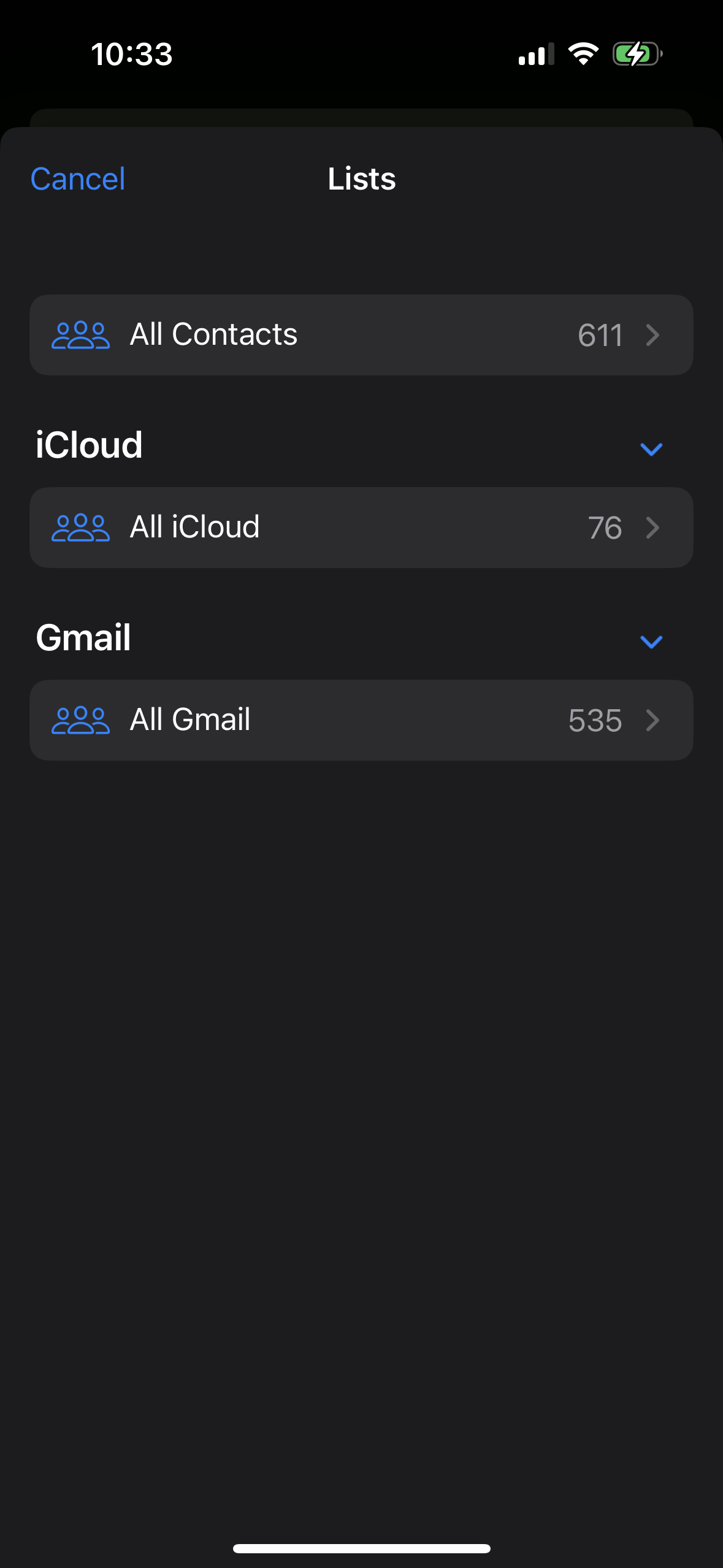
1. Contact selection from the address book
This screen shows that the user selects an emergency contact from the device address book instead of importing a purchased or third-party list.
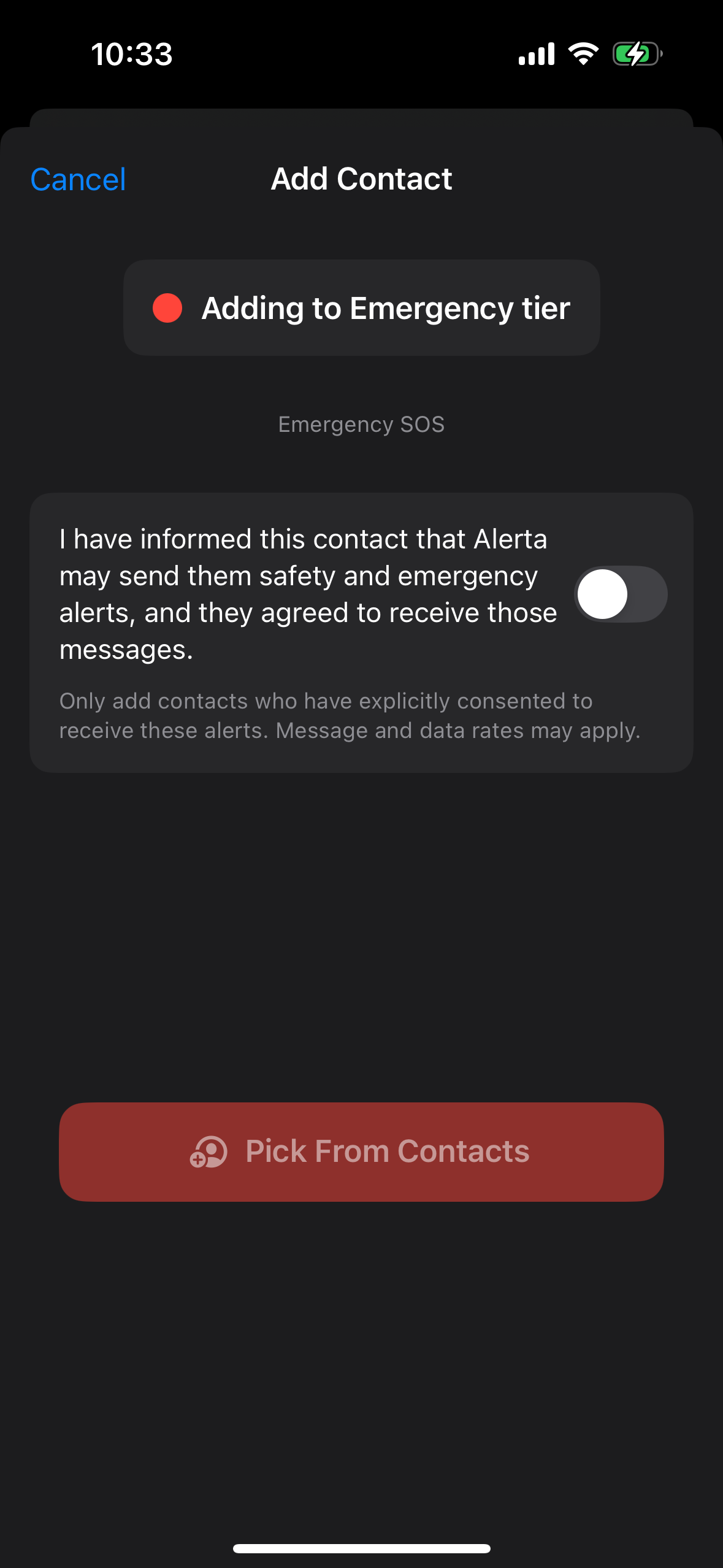
2. Consent disclosure before confirmation
This screen shows the exact in-app notice telling the user that the contact must have agreed to receive Alerta safety and emergency alerts.
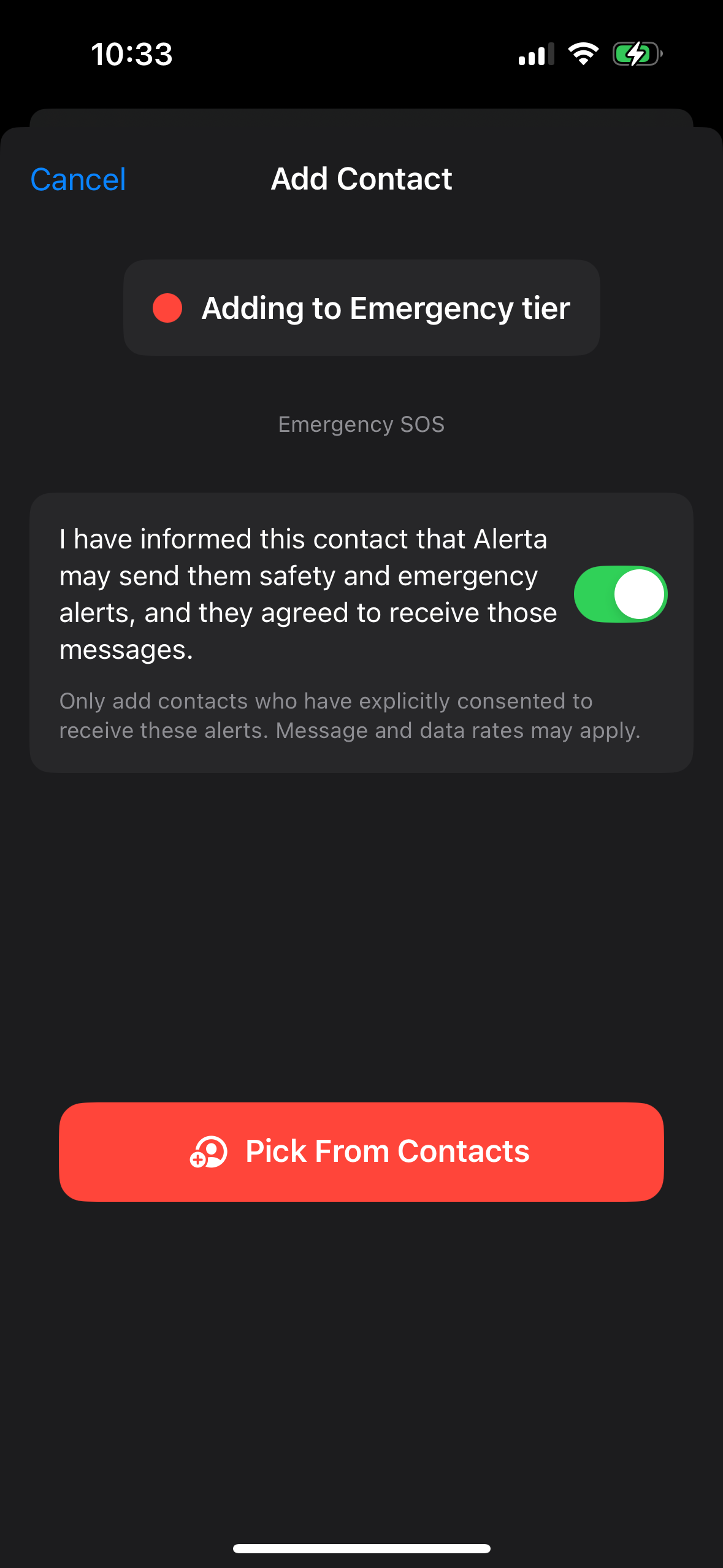
3. User confirmation before saving
This screen shows the user affirmatively confirming that the contact agreed before the contact can be added.
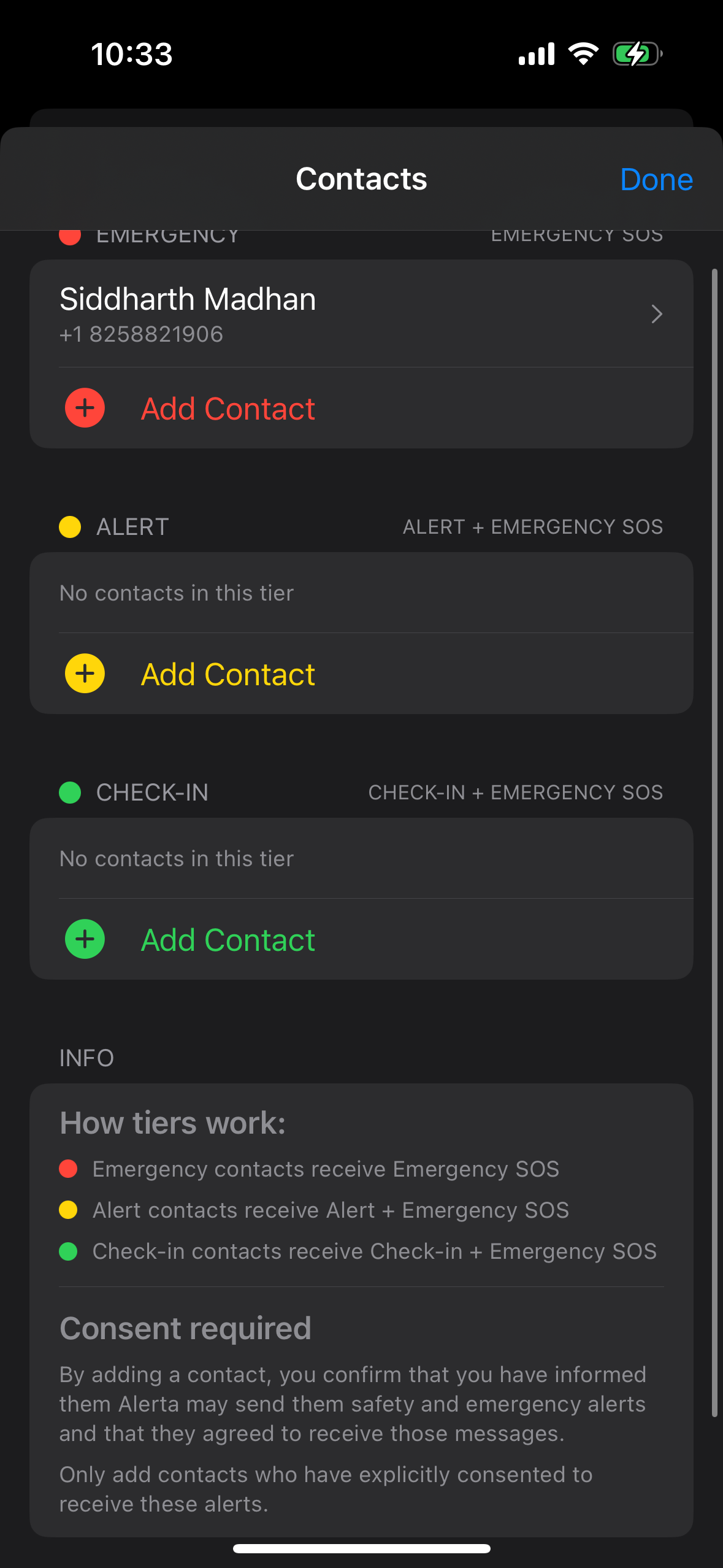
4. Emergency contacts management view
This screen shows that contacts are managed inside Alerta and that the consent requirement is repeated in the contacts workflow.
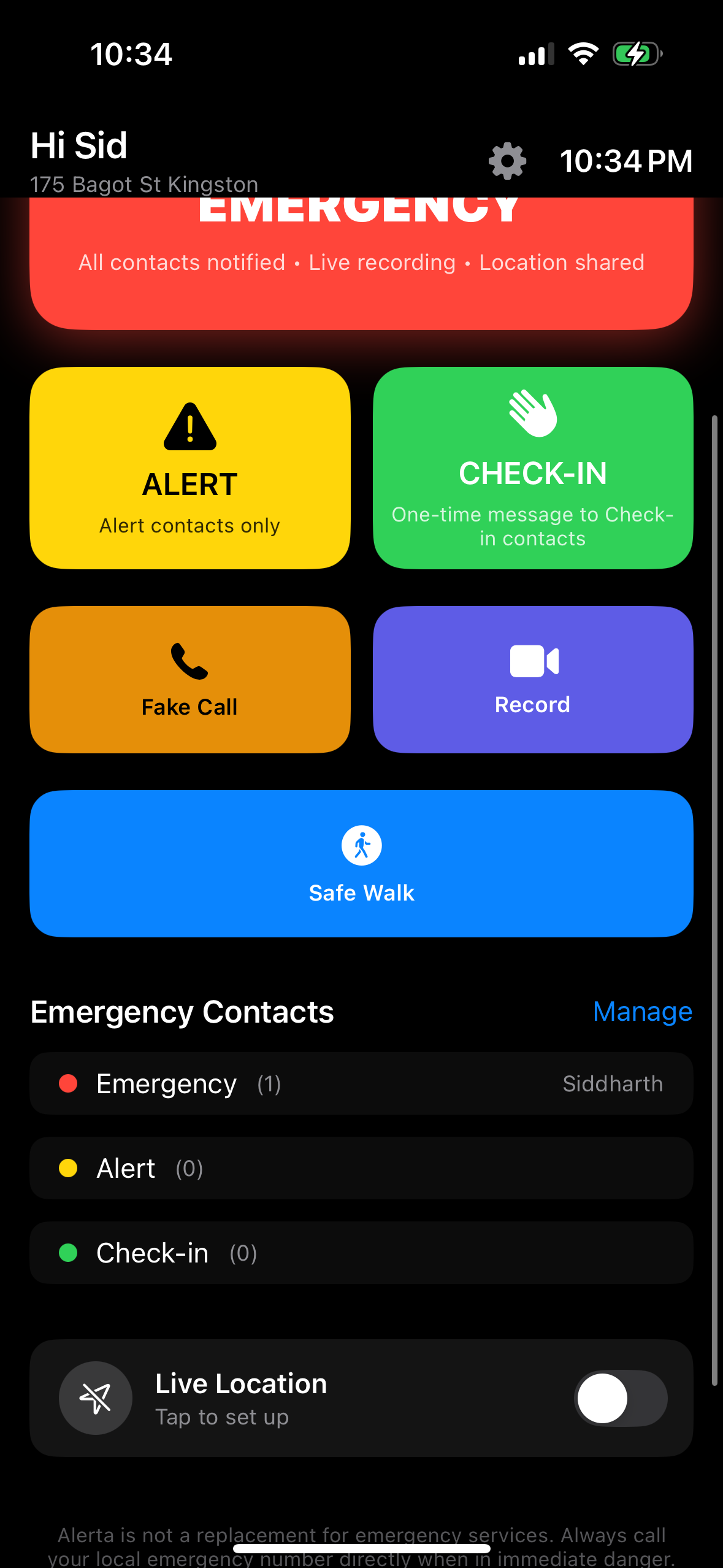
5. Emergency contacts visible on the home screen
This screen shows the user-facing emergency contact setup in the main app interface after a contact has been added.
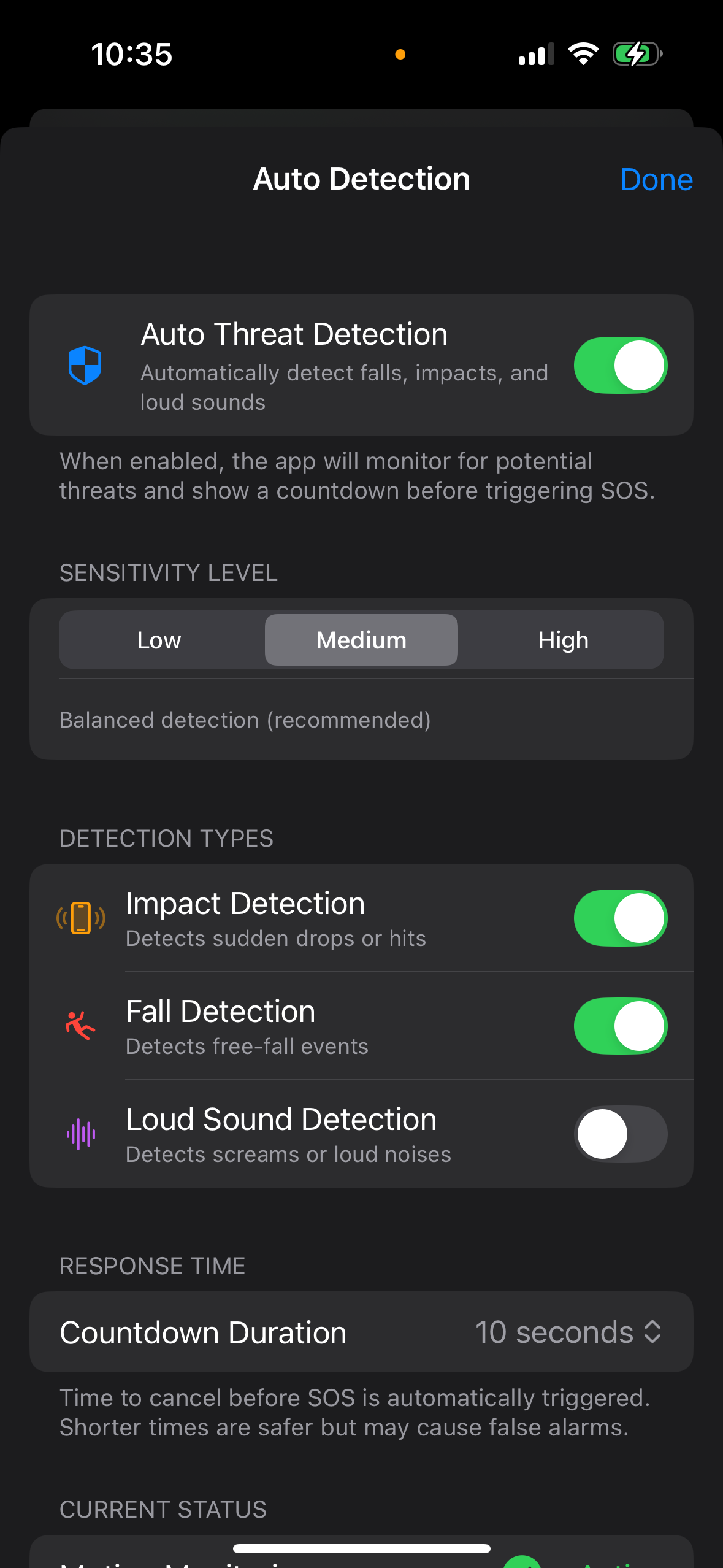
6. Automatic threat detection settings
This screen shows that automatic safety features can trigger emergency workflows and may notify saved emergency contacts.
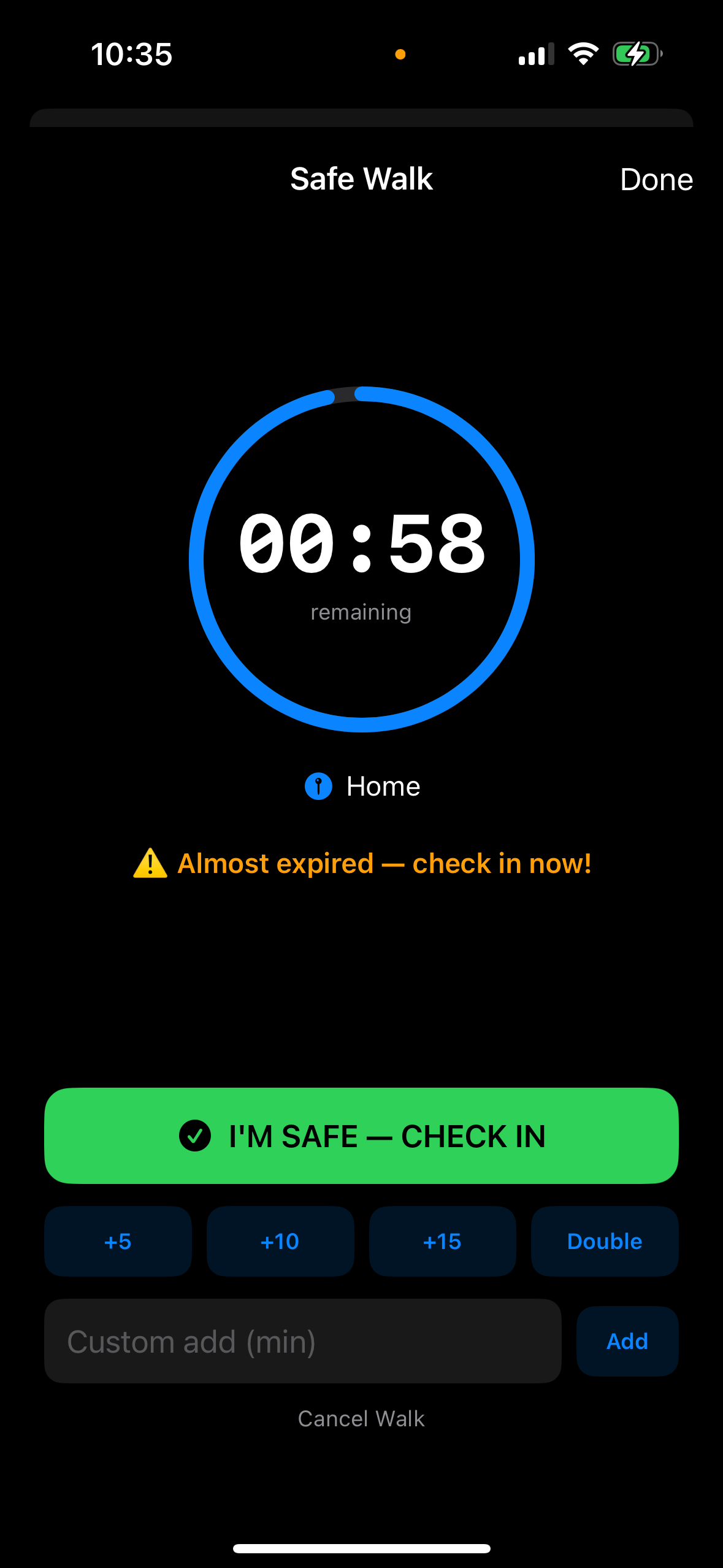
7. Safe Walk countdown flow
This screen shows the Safe Walk flow that can lead to an automatic escalation if the user does not check in before expiry.
User responsibilities
Users must only add emergency contacts who have clearly agreed to receive Alerta safety and emergency alerts.
Users must not:
- add someone without permission,
- trigger false alerts,
- use Alerta to harass, intimidate, stalk, or impersonate someone, or
- submit another person's number to receive messages they did not agree to receive.
Opt-out, help, privacy, and support
For automated SMS alerts sent from Alerta's messaging number, recipients may reply STOP to stop future automated SMS from that number and HELP for support. Reply-based opt-out does not apply to manual messages sent directly from a user's device SMS composer.
Privacy Policy: alerta.world/privacy
Terms of Service: alerta.world/terms
Siddharth Madhan
175 Bagot Street
Kingston, Ontario K7L 3E9
Canada
Support: sidmadhan@gmail.com
Privacy: sidmadhan@gmail.com
Messaging support: sidmadhan@gmail.com
Phone: +1 825 882 1906